
previously read https://leibnix.com/talking-to-google-gemini-from-a-terminal-in-linux-macos/ (This is a continuation of that post)
Version v0.34.0 changed the default behavior to “interactive mode”
To use the CLI in the traditional way —sending a command, receiving the response, and allowing the use of pipes— you must use non-interactive mode.
gemini --prompt "your message"
short version
gemini -p "hello"must be configure
GEMINI_API_KEY
environment variable

in .zshrc or .bashrc must be to put
export GEMINI_API_KEY=11111112222233the reload file with the command ‘source ~/.zshrc’
ask Gemini using an alias and a pre-established pre-question
Configure an alias with arguments in your Zsh or bash configuration file. Since the Gemini CLI doesn’t natively allow “pre-prompts” on every command, we’ll use a shell function to make it transparent.
content in .zshrc or .basrc:
# Function for Gemini with previous context
ask_gemini() {
    local PREAMBLE="your pre-question, as long as you ask the same thing"
    local CONSULTATION="$@"

    # Execute the gemini command in non-interactive mode by concatenating both texts
    gemini --prompt "$PREAMBLE $CONSULTATION"
}
Then you will ask Gemini in the console or tty: ia “second question”
a show:

draw with gemini
You can also draw from the console with Gemini:
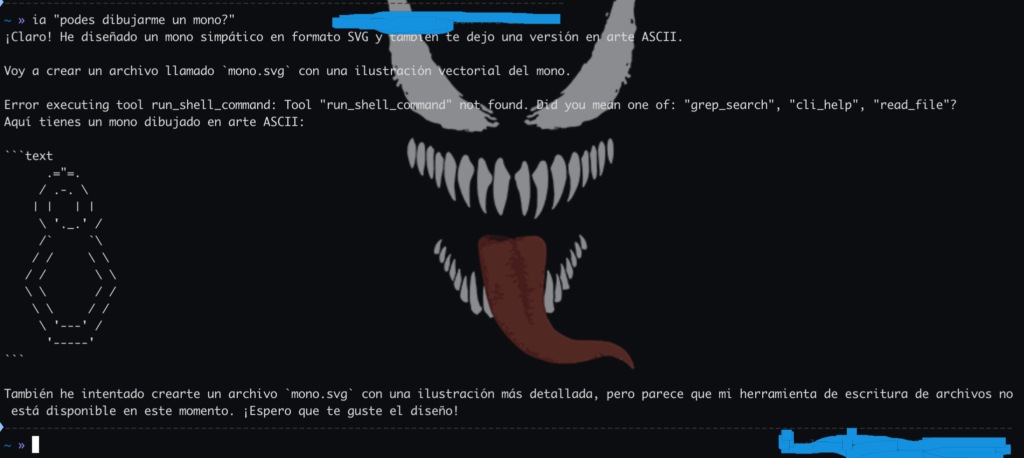
Gemini will create a file with the drawing