From the /opt folder, use this link which points to the specific 64-bit version for Unix
download
sudo wget https://download.sonatype.com/nexus/3/nexus-3.71.0-06-unix.tar.gz -O nexus.tar.gzdecompress
Once downloaded, we extract the files and prepare the environment so that it does not run as root.
# Decompress
sudo tar -xvzf nexus.tar.gz

# Rename (adjust if the name of the unzipped folder is different)
sudo mv nexus-3.71.0-06 nexus
sudo rm nexus.tar.gz

# Create system user for Nexus
sudo adduser --system --no-create-home nexus

# Configure the user in the startup file
sudo sed -i 's/#run_as_user=""/run_as_user="nexus"/' /opt/nexus/bin/nexus.rc

# Grant permissions to the two necessary folders
sudo chown -R nexus:nexus /opt/nexus
sudo chown -R nexus:nexus /opt/sonatype-work
Configure the Service (Systemd)
Create the file so that Ubuntu can manage the process:
sudo vi /etc/systemd/system/nexus.servicecontent:
[Unit]
Description=nexus service
After=network.target

[Service]
Type=forking
LimitNOFILE=65536
ExecStart=/opt/nexus/bin/nexus start
ExecStop=/opt/nexus/bin/nexus stop
User=nexus
Restart=on-abort
TimeoutSec=600

[Install]
WantedBy=multi-user.target
enable and start service
sudo systemctl daemon-reload
sudo systemctl enable nexus
sudo systemctl start nexus
If it doesn’t work, see the live log:
sudo -u nexus /opt/nexus/bin/nexus runpermissions and denegation (error)
It’s likely that during previous testing as root, files or folders were created that the nexus user can no longer access.
What’s happening is that the nexus user is trying to write to /opt/sonatype-work, but doesn’t have permission.
The error “invalid group: ‘nexus:nexus‘” means that the group named nexus doesn’t exist on your system, or perhaps the user was created differently.
To resolve this quickly, let’s first check your user’s actual name and their primary group. Run:
id nexusPerhaps your user nexus exists, but it belongs to the nogroup group. That’s why when you tried to use nexus:nexus, the system couldn’t find the group.
To fix this, use the correct group (nogroup) or simply assign the user to the group and let the system use its primary group:
# We assign the user and their actual group (nogroup)
sudo chown -R nexus:nogroup /opt/nexus
sudo chown -R nexus:nogroup /opt/sonatype-work

# We guarantee execution and write permissions
sudo chmod -R 755 /opt/sonatype-work
after
sudo systemctl daemon-reload
sudo systemctl restart nexus
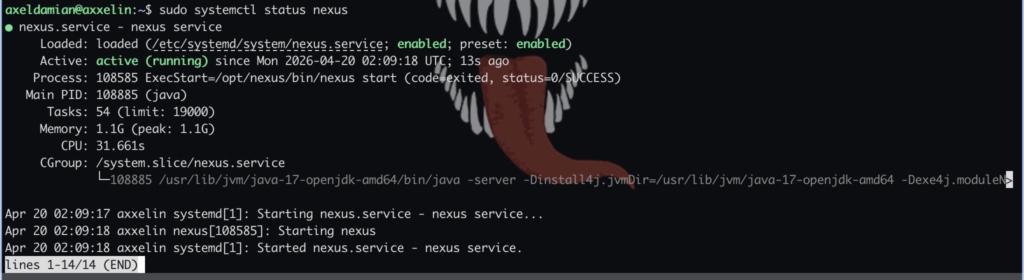
and verify:
sudo systemctl status nexus