docker-compose.yml is a file
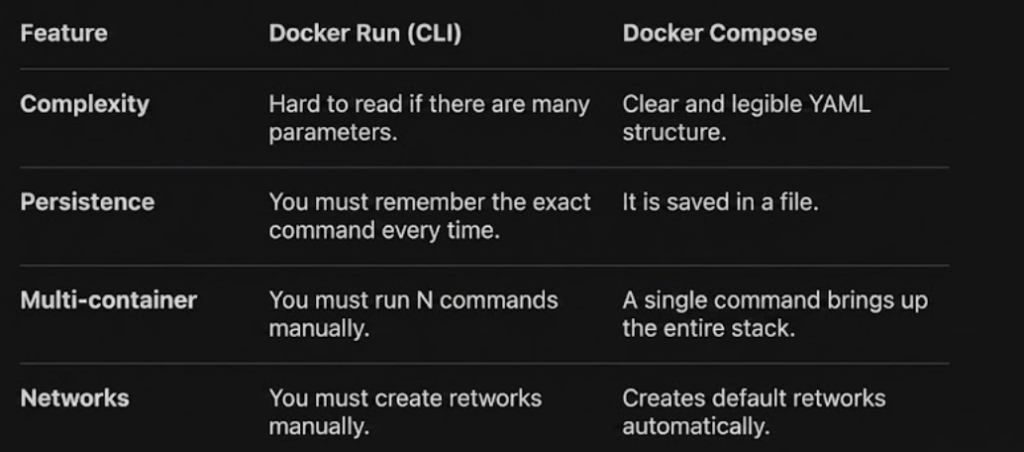
The docker-compose.yml files are designed to simplify the management of multiple containers and prevent you from having to write very long and difficult-to-maintain docker run commands.
Can they have N files?
Yes, you can have as many docker-compose.yml files as you want
The most common practice is to have one folder per project, and within each folder, a docker-compose.yml file
Multiple files for the same project: Sometimes several files are used to separate environments (for example, docker-compose.yml for the base and docker-compose.override.yml for development configurations)
You will have as many containers as services you have defined within those files
A single docker-compose.yml file can start 1, 5, or 20 containers at once
For example, if you define a database, a backend, and a frontend in a file, running docker-compose up will automatically start 3 containers
They are (the docker-compose.yml) so that the command doesn’t get too long (command docker)
utilitiesof docker-compose:
- Declare the infrastructure: Instead of remembering that the port was 8080 and that the volume was in /var/lib/data, everything is written in the file
- Simple orchestration: Allows you to define the startup order (for example, that the database loads before the application)
- Automatic networking: Docker Compose creates an internal virtual network so your containers can communicate with each other using their service names without manually configuring IPs
- Version control: Since it’s a text file, you can upload it to Git and anyone else can set up the exact same environment with a single command
command
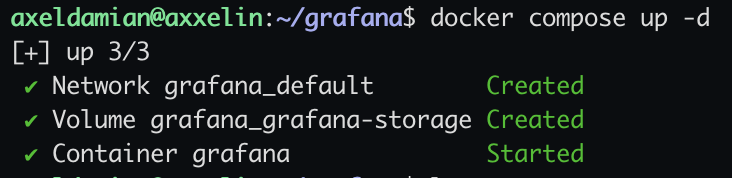
in the same location that docker-compose.yml, execute the command:
docker-compose up -dthis up a new container
or try:
docker compose up -d