
Dockerfile

has content:
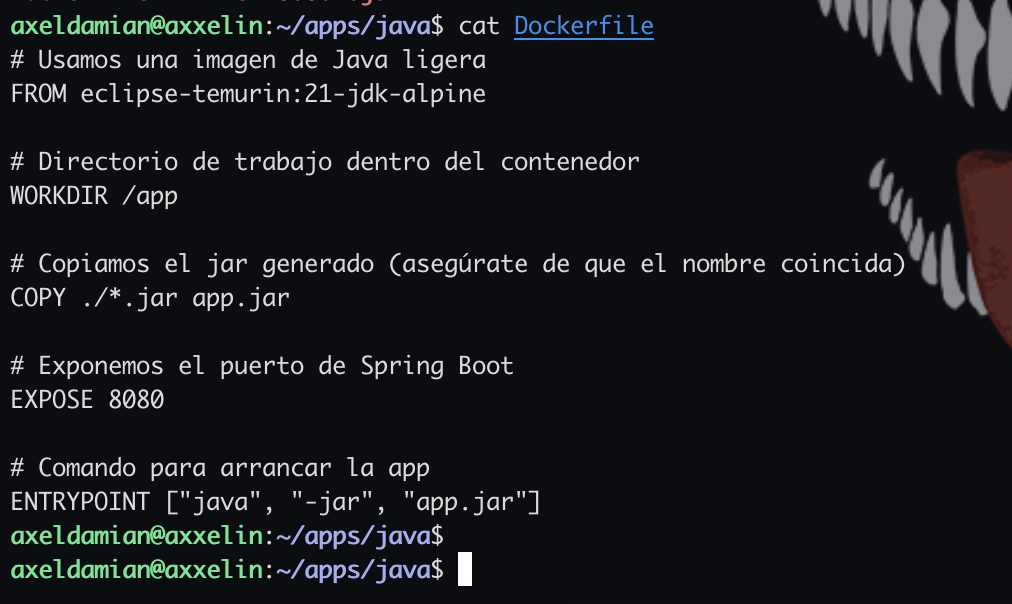
Port 8080 is for informational purposes or as a comment; the Java application actually listens on port 8090 (i.e., 8080 is incorrect, it should be 8090). That’s the port listened to by the Docker container
EXPOSE It can say 7000 that nothing breaks, it’s informative or as a comment
EXPOSE should be removed in future versions of the Dockerfile, as it can cause confusion if it is poorly maintained or misspelled (as happened to me)
build docker image “mi-app-custom” with Dockerfile:
docker build -t my-image-app-custom .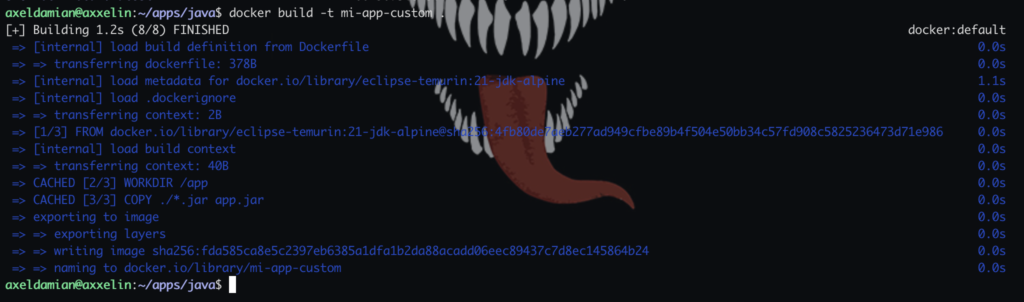
you can see with:
docker imagesruns the docker image in a docker container (up):
docker run -d -p 8090:8090 --name my-container-spring my-image-app-customcan you see with (only the containers UP):
docker psview UP and DOWN containers:
docker ps -aare 2 ports: 8080, 8090
and a map 8090:8090
There are three layers at play: your computer (Host), the container (Docker), and the application (Spring Boot)
In your Dockerfile you put EXPOSE 8080. This is purely informational: it tells Docker that the process running inside (your Spring Boot JAR) listens by default on port 8080
Port Mapping (-p host:container):
- Any traffic arriving at my computer via port 8090, forward it to the container via port 8090
process in background:
-dname of docker container:
--name {DOCKER_NAME_CONTAINER}If your Java application is configured to go out on port 8080 (which is the Spring Boot standard), but you map port 8090 from the container, the connection will fail because “nobody” is listening on port 8090 inside the container
8080 (Container): The port where your Java app lives
- Localhost (Host): Your physical PC. You choose which port to use to avoid conflicts with other programs
- Container: The isolated “box.” The port here must match the one used by your Java app
It’s always docker build first and then docker run