
First you need to have a .jar file in a directory

In the same directory, you create a file:
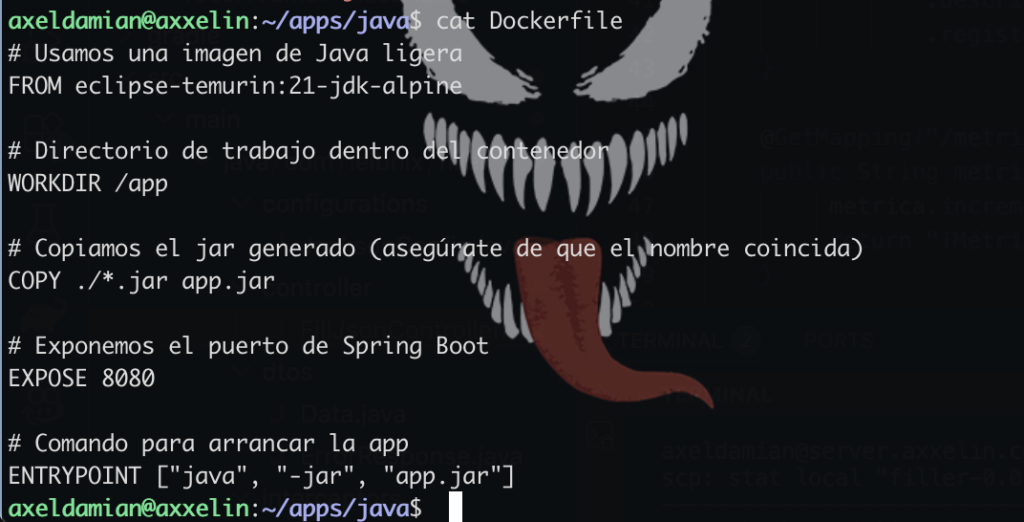
Dockerfilewith content:
# Usamos una imagen de Java 21 ligera
FROM eclipse-temurin:21-jdk-alpine

# Directorio de trabajo dentro del contenedor
WORKDIR /app

# Copiamos el jar generado (asegúrate de que el nombre coincida)
COPY ./*.jar app.jar

# Exponemos el puerto de Spring Boot
EXPOSE 8080

# Comando para arrancar la app
ENTRYPOINT ["java", "-jar", "app.jar"]
8080 is the port of the java app springboot gradle
If we are in the same directory as the .jar file, we create the image for Docker:
docker build -t mi-app-custom .- The image is not created in the same directory as the .jar file
- Docker stores the images internally and you can view them with “docker images”
We can see the Docker images we have, with the command:
docker images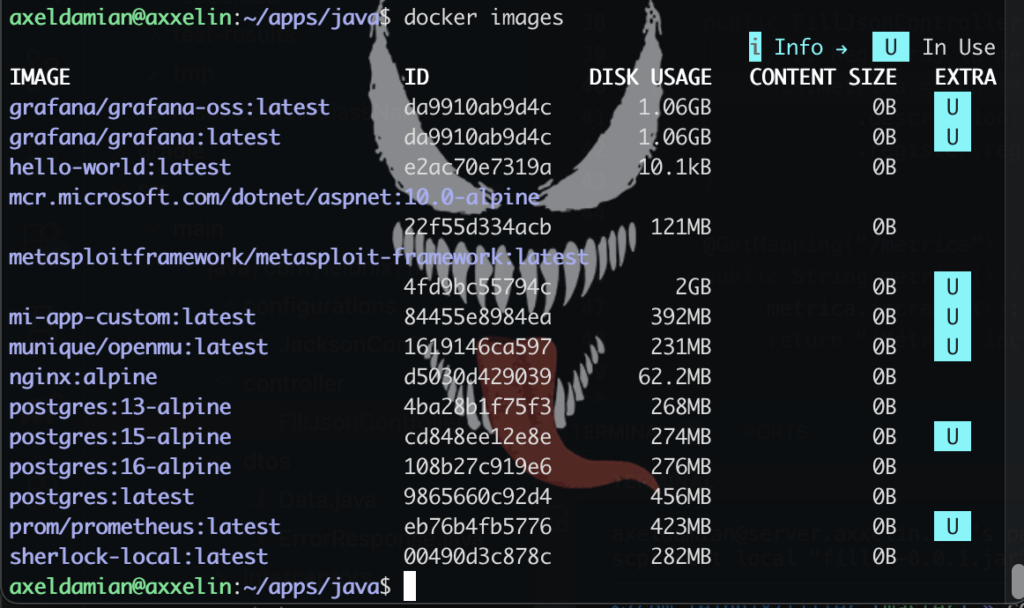
The images should include the image of the Java app creator “mi-app-custom”
Then we need to create a container with that image
docker run -d -p 8090:8090 --name mi-contenedor-spring mi-app-custom
A mapping is done between the output port of the app .jar and the port of localhost (which is the container)
if you want delete the image:
docker rmi -f mi-app-customif you want see the container (until the off):
docker ps -athe starters:
docker ps