
docker-compose.yml:
version: '3.8'

services:
  api-service:
    image: competition-api-image         # La imagen que va a usar
    container_name: mi-api        # El nombre que tendrá el contenedor
    restart: always               # Si se cae, Docker lo vuelve a levantar
    ports:
      - "22000:13000"
  nginx-proxy:
    image: nginx:latest
    container_name: nginx-server
    ports:
      - "80:80"
    volumes:
      # Inyectamos tu archivo de configuración dentro de Nginx
      - ./nginx.conf:/etc/nginx/conf.d/default.conf
    depends_on:
      - api-service
    extra_hosts:
      - "host.docker.internal:host-gateway" # Le da acceso al localhost de tu máquina
The plan is to forward port 80 from the web/external network to port 80 of localhost
Docker maps port 80 of localhost to port 80 of the Docker container
The nginx service maps port 80 to 80; the first port is localhost port 80, and the second is port 80 of the nginx Docker container
The port mapping for “api-service” may not work; “localhost” is not used
Port 80 is used because it is the standard for http (you don’t put :80) i.e. domain.com/path
The important Docker fields are:
- volumes
- Docker containers are ephemeral by default: if the container is destroyed, everything that changed inside is erased, The volumes directive breaks that isolation
- It allows you to map a folder or file from your physical machine directly into the container
- Grab your local nginx.conf file and inject it into the internal path where Nginx looks for its native configurations
- You don’t need to create a custom Nginx image every time you change a path. You edit your file in Ubuntu, restart the container, and Nginx reads the changes instantly because it’s “looking” at your local file
- extra_hosts
- A Docker container is enclosed in its own internal virtual network and doesn’t know how to communicate with the localhost of your physical machine (your host). If you have a service running natively on your Ubuntu system (outside of Docker) and you want Nginx or your API to see it, you can’t use localhost because it would point to itself
extra_hosts: - "host.docker.internal:host-gateway"- Leave a backdoor open in case any container needs to leave the Docker virtual network and communicate with your Ubuntu host
- depends_on
- Without this, it may fail or throw an error because the backend does not yet exist on the network
- It tells Docker: “do not start service B until service A has started”
- It ensures a logical order of dependencies. First, your backend infrastructure is created
In the docker-compose, the nginx service section on the volume uses the nginx.conf file (which contains the nginx rules and configuration) (nginx.conf is a file that is copied from your PC to the docker container)
nginx.conf:
server {
    listen 80; # Dentro del contenedor, Nginx siempre escucha en el 80 por defecto

    location /pathendpoint/ {
        # El proxy_pass apunta al nombre del contenedor de tu API y su puerto interno
        # Al poner una barra '/' al final de 'http://mi-api:15000/', Nginx automáticamente
        # remueve el prefijo '/competitions/' del path original.
        proxy_pass http://container-name:XXXX/;

        # Cabeceras estándar para no perder los datos de la petición original
        proxy_set_header Host $host;
        proxy_set_header X-Real-IP $remote_addr;
        proxy_set_header X-Forwarded-For $proxy_add_x_forwarded_for;
        proxy_set_header X-Forwarded-Proto $scheme;
    }
}
Location of docker-compose.yml and nginx.conf:
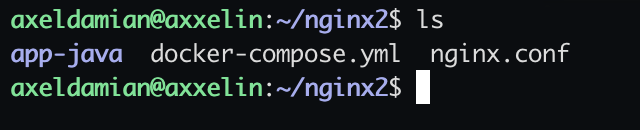
It is important to mention that the nginx service or container listens on the port on localhost (internal) and in order for it to listen on an external port (web) you have to open the port or do port forwarding (from the web to localhost)
Demonstration of operation via port 80:
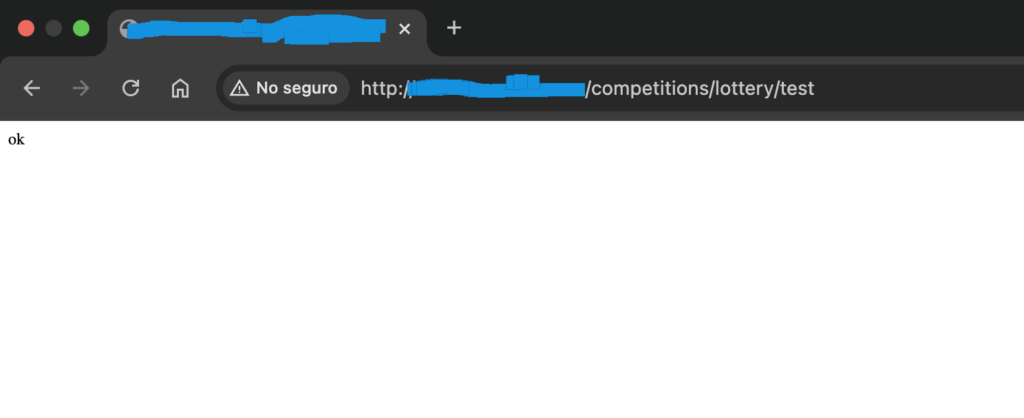
When you run docker compose up -d, Docker attempts to start all services in parallel
very important for nginx.conf:
    location /competitions/ {
proxy_pass http://my-container:13000/;- The path endpoint has a leading and trailing slash /
- proxy_pass has http:// the container and :port, then a trailing slash /; and a semicolon
Docker Compose summary (I removed unnecessary things):
version: '3.8'

services:
  api-service:
    image: competition-api-image
    container_name: my-container
    restart: always
    # expose 13000
    # There's no need to map the port
  nginx-proxy:
    image: nginx:latest
    container_name: nginx-server
    ports:
      - "80:9876" # port 0 of localhost to 9876 of docker container of nginx (nginx.conf)
    volumes:
      - ./nginx.conf:/etc/nginx/conf.d/default.conf
in same location, nginx.conf:
server {
    listen 9876;

    location /competitions/ {
        proxy_pass http://my-container:13000/;

        proxy_set_header Host $host;
        proxy_set_header X-Real-IP $remote_addr;
        proxy_set_header X-Forwarded-For $proxy_add_x_forwarded_for;
        proxy_set_header X-Forwarded-Proto $scheme;
    }
}
observation:
- competition-api-image is a pre-created image of the application
- Port 13000 is listened on by that image; that’s how the application works, it can’t be changed by docker-compose.yml or nginx.conf
- Remember to add the slashes / at the beginning and end of nginx.conf if necessary
- You can view the created images available using “docker images”