
First you need to have Python or Python 3 installed, then you have the command ‘python3’
Setting up a fast HTTP server (The easiest way)
Since you’re on Windows, you most likely have Python installed (especially for your backend projects or scripts). You can turn your Windows folder into a temporary file server.
python3 -m http.server 8080You run that command in a folder and you’ll be able to download the files contained within it over the internet.
Python, find your web server module and activate it on port 8080 so I can access it from Chrome on my Windows computer and download the files without using any unusual commands.
The -m (Module) parameter
The -m flag tells Python: “Do not execute a .py file, look in your internal library for a module and execute it as if it were an application”
- Normally, to run a script you use
python3 my_script.py - With
-m, Python looks in its installation folders for a module calledhttp.server, which comes pre-programmed
The http.server module
is a basic web server written in Python. Its sole function is to “listen” for requests on the network and deliver the files located in the folder where it was launched.
- Python opens a port (in your case, 8080)
- It scans all the files in the current folder (like your client.zip)
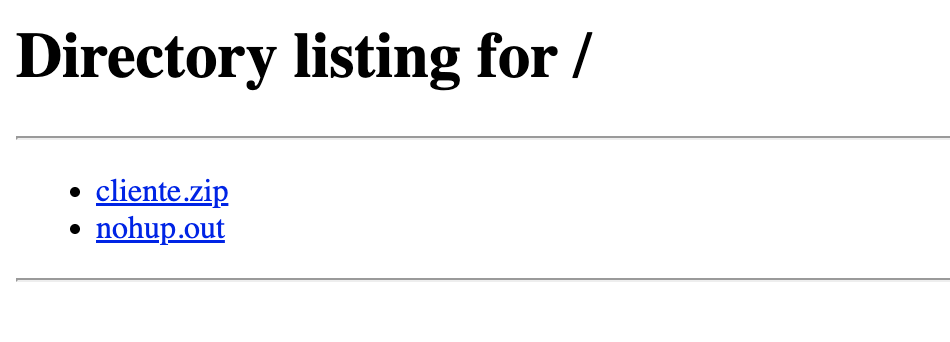
- It creates a simple web page (an index) so that any browser (Chrome, Firefox) can view and download those files
The number 8080
It’s the port. Computers have thousands of virtual “doors” (ports) for communication.
- Port 80 is the standard for internet (HTTP)
- Port 8080 is typically used for testing or alternative servers
You could put any number above 1024 (e.g., 8000, 9000), as long as it’s not already in use by another process like Docker.
If you want to download the files contained in the folder where you run the command:
You need to set up port forwarding on your router.
You need to open the external port (router port and accessible from the internet) and map it to the internal port, which is the device that contains the folder.
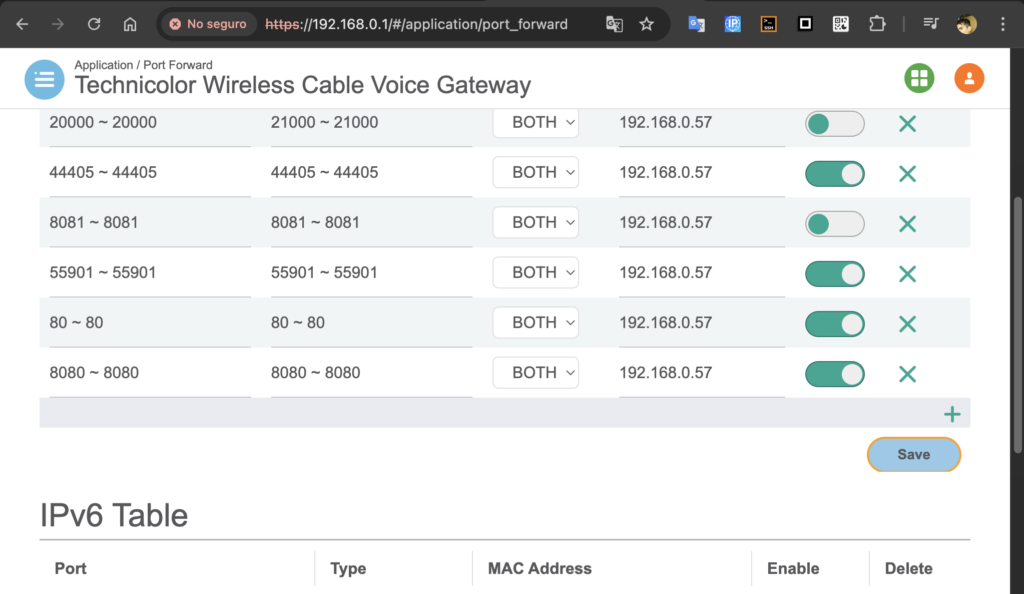
And that’s how you can access the files with:
- public_ip:80880
- public_ip:8080/file
- public_ip:8080/file.zip
My public IP address is not a number but a static DNS domain name; I explain how to do this in other posts.
If you don’t do port forwarding, the file is not accessible from the internet.
The HTTP server with Python is temporary.
You throw out the command and it will take control of the console or tty
If you stop the process, the HTTP server will stop.
To run the service while your PC/server is on and you have control of the console/tty (nohup command &)
If you just put it on and it doesn’t work
nohup python3 -m http.server 8080 &
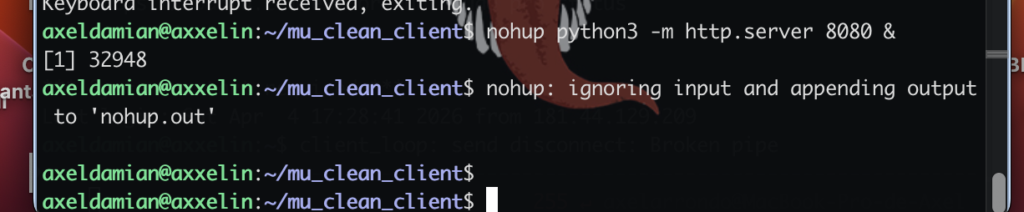
- nohup: Tells the Ubuntu Linux server: “If I disconnect, don’t kill this process”
- &: Sends it to the background so you can continue writing
- Result: A file called nohup.out will be created where logs of who accesses the download will be stored

stop HTTP server
pkill -f http.server