
- ELF (Executable and Linkable Format)
- linux, unix-like, android
- PE/COFF
- windows
- The .exe files
- the PE (Portable Executable) format, which is an extension or derivative of the Unix COFF (Common Object File Format)
- COFF Header: This is the foundation. It contains essential system information, such as the machine architecture type (x86, x64, ARM), the number of sections, and timestamps
- PE Header: This is what makes the file “Portable”. It contains the entry points, stack size, library (DLL) import tables, and resources (icons, dialogs)
- PE Signature: The mark that indicates the start of the modern format
- COFF Table: The object’s technical specifications
- The name Portable Executable doesn’t mean you can take the .exe file to Linux or macOS and run it natively. It means the format is independent of the Windows version: the same file loader can read a 32-bit or 64-bit binary while maintaining the same data structure
- In the Windows world, the standard format for executables, DLLs, and drivers is PE, which is an extension of the COFF (Common Object File Format)
- On macOS you can run them using compatibility layers like Wine or CrossOver, which translate Windows system calls into macOS runtime calls, or through virtualization (windows to linux is similar)
- MACH-0
- macOs (mac)
Although they all serve the same purpose (telling the processor what to execute), they are like different languages; that’s why an .exe file doesn’t “understand” how to talk to the macOS kernel without a translator like Wine
.app files are not Mach-0 (on macOS)
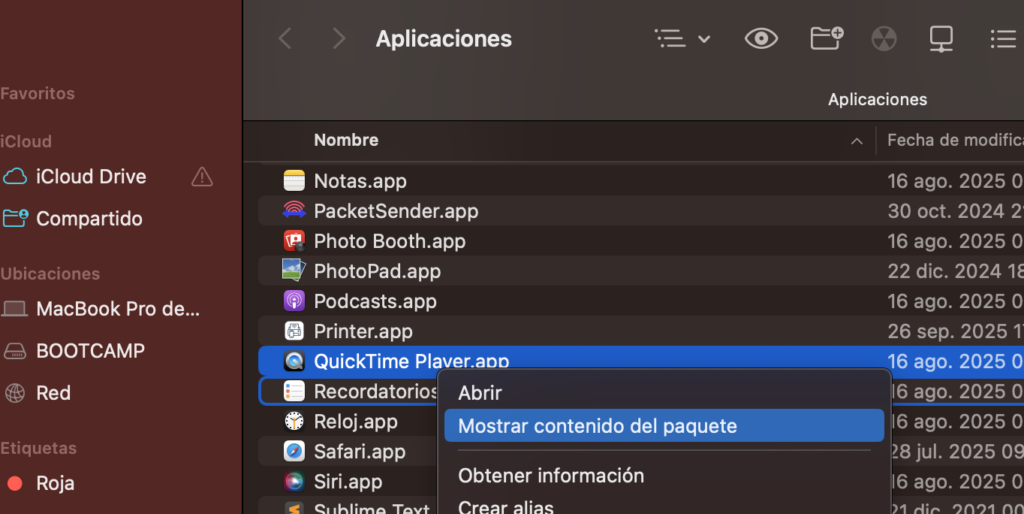
The .app file is not a binary file itself, but a folder (a “Package” or “Bundle”). If you right-click on one and select “Show Package Contents”, you will see an internal structure
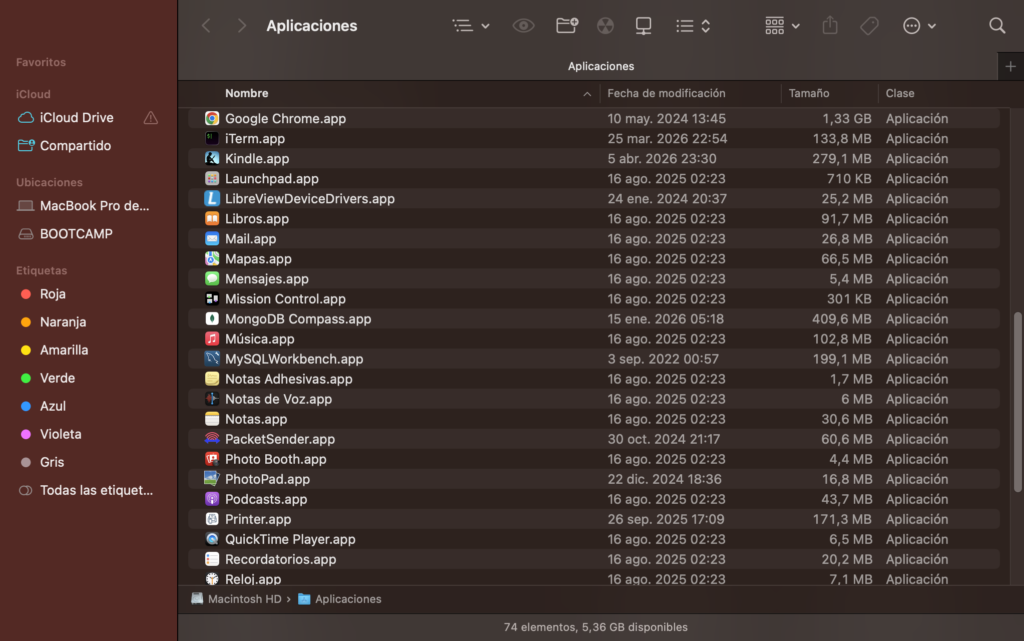
Not exactly. The .app file isn’t a binary file itself, but a folder
Right-click on any .app file and select “show package contents”
The main executable that resides within that folder (usually in Contents/MacOS/[AppName]) is indeed a binary in Mach-O (Mach Object) format
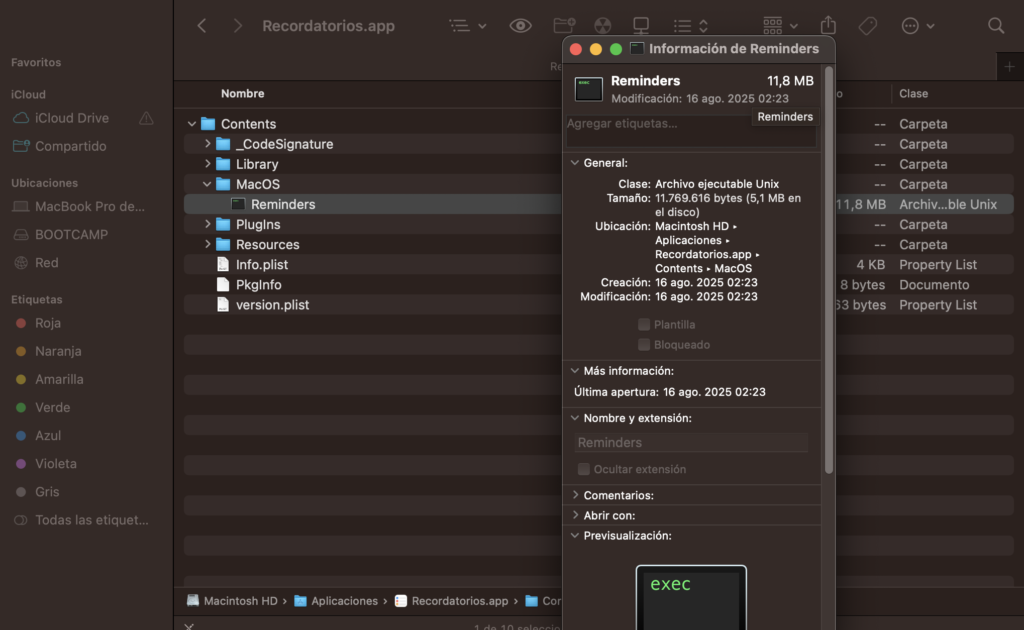
It is the native standard for macOS, iOS, tvOS, and watchOS
It supports Fat Binaries (Universal Binaries), allowing a single file to contain compiled code for multiple architectures, such as x86_64 (Intel) and arm64 (Apple Silicon)
- On macOS: You’ll compile Mach-O binaries
- On Windows: You’ll generate PE files
- Independence: If you want the same file to run everywhere, you’d have to use Java (which generates bytecode for the JVM) or languages that run on a specific runtime, although for the end user you’ll always end up “packaging” the code into an .app or .exe file for easier execution