It’s for IP redirection
It is a Name to IP mapper.
IP-to-IP redirection doesn’t work; only hostname as a string to IP address redirection works.
It acts as a local “address book” that takes precedence over everything else.
When you type a web address (like google.com), Windows asks an external DNS server: “What physical IP address does this name correspond to?”
The hosts file allows you to bypass this process. Windows always checks this file before accessing the internet.
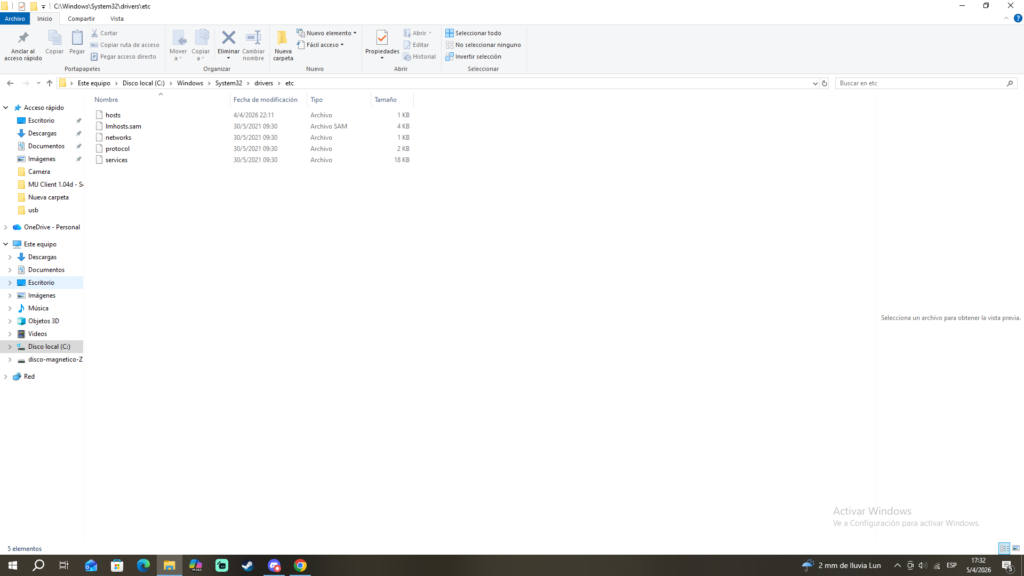
located in windows:
C:\Windows\System32\drivers\etc\hostsin macOs or linux as ubuntu/ubuntu server:
/etc/hostsThe file is simply called hosts (without a .txt extension or anything similar)
- If an address is listed in the hosts file, Windows uses the IP address you specify there and doesn’t even attempt to find the real one
- It’s essentially a private, manual name resolution system
syntax:
DESTINATION_IP NAME_TO_DECEIVEname_to_deceive will be redirected to destination_ip
after you can execute the command:
ping NAME_TO_DECEIVE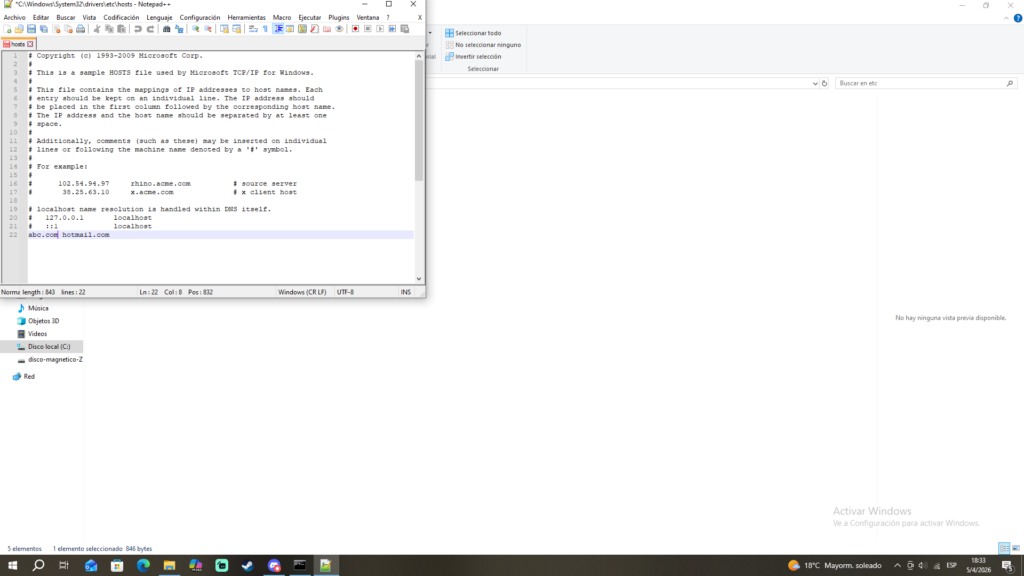
# Copyright (c) 1993-2009 Microsoft Corp.
#
# This is a sample HOSTS file used by Microsoft TCP/IP for Windows.
#
# This file contains the mappings of IP addresses to host names. Each
# entry should be kept on an individual line. The IP address should
# be placed in the first column followed by the corresponding host name.
# The IP address and the host name should be separated by at least one
# space.
#
# Additionally, comments (such as these) may be inserted on individual
# lines or following the machine name denoted by a '#' symbol.
#
# For example:
#
#      102.54.94.97     rhino.acme.com          # source server
#       38.25.63.10     x.acme.com              # x client host

# localhost name resolution is handled within DNS itself.
#	127.0.0.1       localhost
#	::1             localhost
abc.com hotmail.com
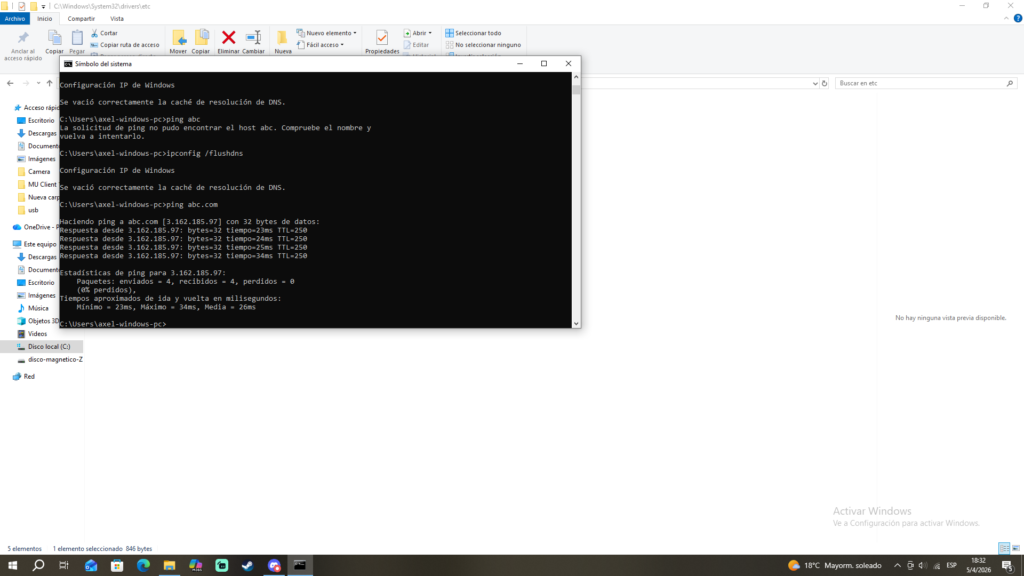
Then clear your DNS cache and ping abc.com
ipconfig /flushdnsping abc.com