It allows you to update your permissions without having to log out
When you install Docker and add your user to the group with sudo usermod -aG docker $USER, the operating system already knows you have permission, but your current session hasn’t found out yet.
Normally you’d have to log out and log back in to use Docker without using sudo
does that “refresh” instantly
- Re-login in to the Docker group within the current terminal window
- Create a new sub-session where you already have the privileges of that group
Temporary effect: It only works in the terminal tab where you ran it. If you open a new tab on your Mac to connect to the server, you’ll have to run it again or restart your SSH session.
The “identity change”: Technically, newgrp launches a new shell. If you type exit after running it, you won’t close the connection to the server, but you’ll return to your previous session (the one without Docker permissions).
Use it whenever you’ve just installed something that requires group permissions (like Docker on your Ubuntu Server) and you don’t feel like disconnecting and reconnecting via SSH
What if I want the privilege changes to be permanent?
What is temporary is the “immediate activation” effect that the command has on that specific terminal window.
To make the permissions permanent across the entire system (and so you never have to type the command ‘sudo’ again), you need to perform a session restart.
- Close the SSH connection (type exit or logout)
- Reconnect (ssh xxxx@yyy.yyy.yyy.yyy)
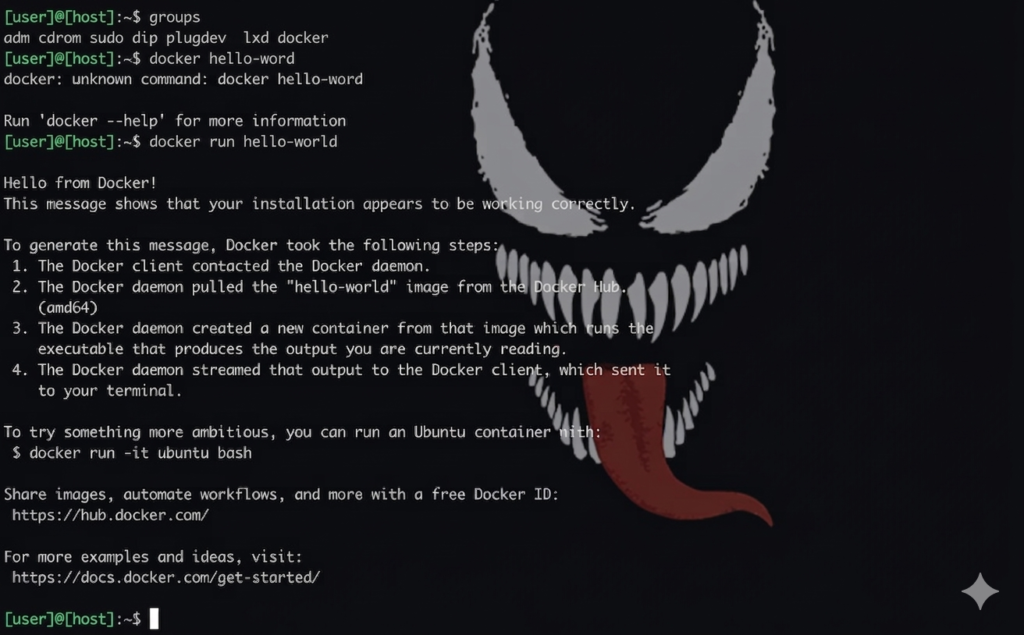
- Verify: Type groups. If docker appears in the list, it’s permanently installed
You must restart the PC/server
groups
Why does newgrp seem temporary?
Linux only reads a user’s groups at login time
- If you add a user to a group while they are logged in, their current session token doesn’t automatically update
- What
newgrpdoes is trick the system by creating a subprocess with the new group, but as soon as you close that terminal or log out, this trick ends
By reconnecting via SSH, you force Ubuntu to reread your user profile, and that’s when it sees that you are now permanently part of Docker.
You must restart the PC/server
Then you type the command ‘groups’ into the console

The image is for illustrative purposes only, but the real one shows ‘docker’
That means the setting is now permanent
Since you’re already part of the ‘docker’ group, you can run direct commands like:
docker ps(to check if the OpenMU game services are running)docker compose up -d(to start the server in the background)
You can run the following command without the word ‘sudo’ in front.
docker run hello-world