
search for network interface in macOS
networksetup -listallhardwareportsor
ifconfig -u | grep -E "inet |status: active" -B 2The name of a network interface through which you have wifi/ethernet internet can be called “en0”
Install Socat (the “Swiss-army knife” of networking), using the “homebrew” program (for the brew command):
brew install socatCreate the Alias of IP A (this is vital for your Mac to “capture” the packet):
sudo ifconfig $NETWORK_INTERFACE_NAME$ alias $IP$ netmask 255.255.255.255example
sudo ifconfig en0 alias 180.148.142.251 netmask 255.255.255.255- the network interface is en0
- IP is 180.148.142.251
Run the Redirector assuming the traffic is for a specific port:
sudo socat TCP4-LISTEN:$ORIGINAL_PORT$,bind=$ORIGINAL_IP$,fork TCP4:$NEW_REDIRECT_IP$:$NEW_REDIRECT_PORT$Change PORT to the one you need (e.g., 8080, 443, etc.)
example
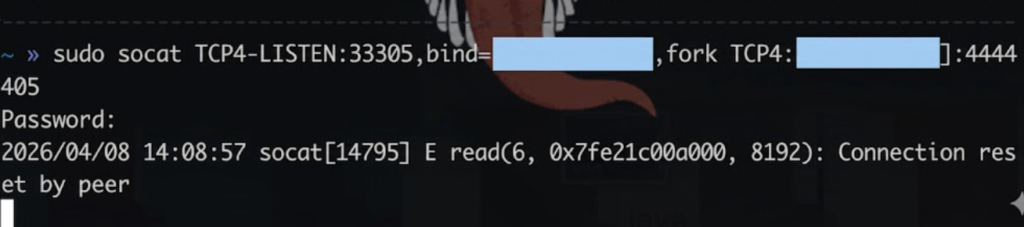
sudo socat TCP4-LISTEN:44405,bind=180.148.142.251,fork TCP4:181.55.231.88:44405Important note: the command will take control of your console; it will only work if you don’t stop its execution (ctrl + c)
You will be asked for your user password
Verify locally if the redirection works on your macOS with netcat (nc):
nc -zv $IP$ $PORT$example
nc -zv 180.148.142.250 33305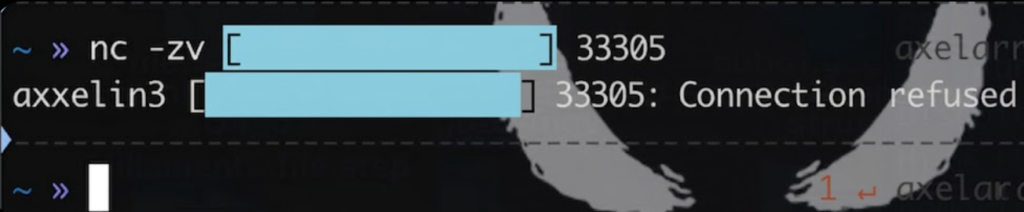
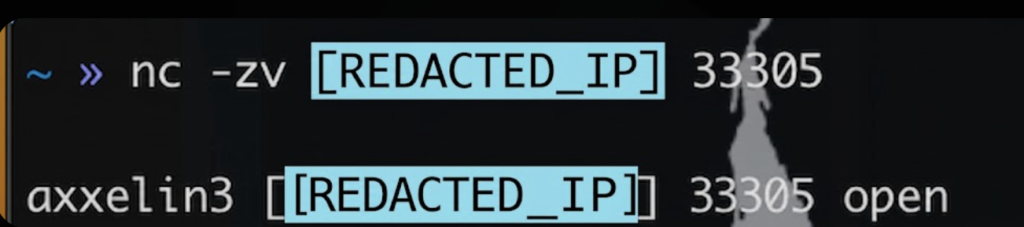
axxelin3 is an alias for an IP address that I created (it’s in the hosts file, you can see it on this website)
Check on macOS if an IP address and port are open or closed (the check is done locally)