
The most professional approach is to have the database run in parallel with the application.
You need to configure the build.gradle file
dependencies {
    // For data persistence
    implementation 'org.springframework.boot:spring-boot-starter-data-mongodb'
    // In order to create drivers and test the connection
    implementation 'org.springframework.boot:spring-boot-starter-web'
}
Connection in application.properties:
# Spring will automatically connect to the process you started with Brew
spring.data.mongodb.host=localhost
spring.data.mongodb.port=27017
spring.data.mongodb.database=championship_robot_db
or alternatively resources/application.yaml
spring:
  application:
    name: championshipfunctions
  data:
    mongodb:
      host: localhost
      port: 27017
      database: championship_db
gradle:
  org:
    gradle:
      java:
        home: "/opt/homebrew/opt/openjdk@21" # for use java 21
server:
  port: 8081 # change the port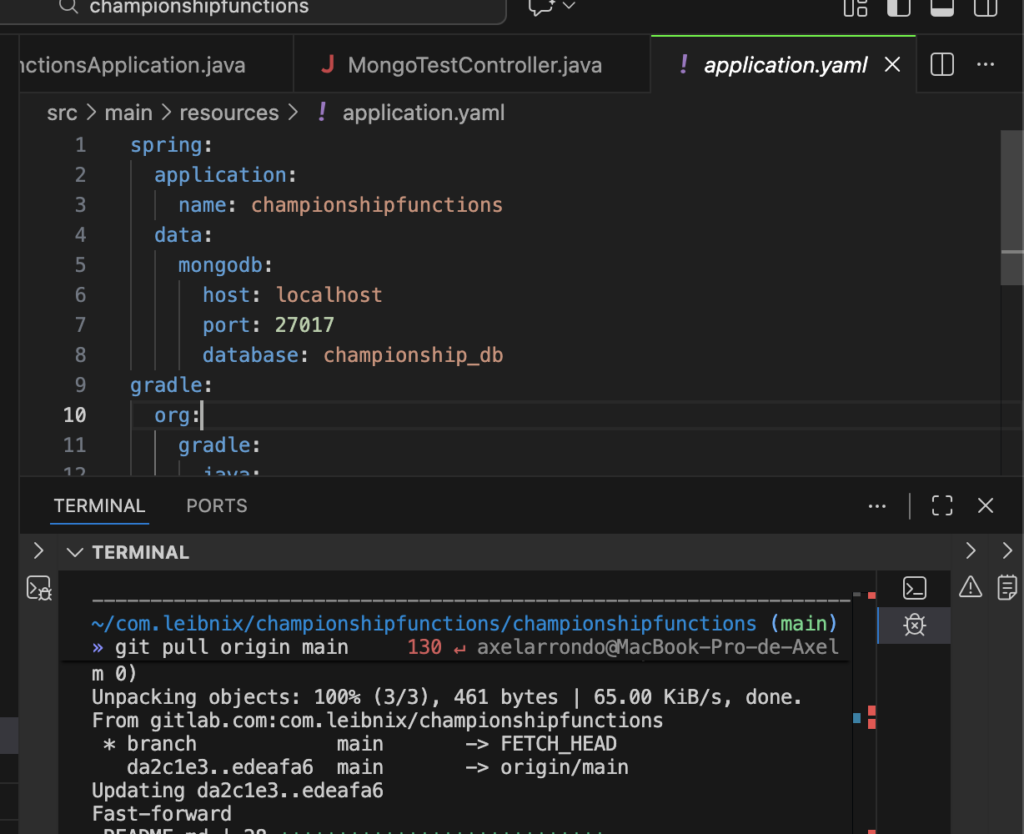

To ensure that the data is saved, create this small controller in your Java code:
@RestController
@RequestMapping("/test-mongo")
public class MongoTestController {

    @Autowired
    private MongoTemplate mongoTemplate;

    @GetMapping("/save")
    public String test() {
        var data = new HashMap<String, String>();
        data.put("message", "Successful connection!");
        data.put("timestamp", LocalDateTime.now().toString());

        mongoTemplate.save(data, "system_logs");
        return "Document saved successfully in MongoDB";
    }
}
structure:
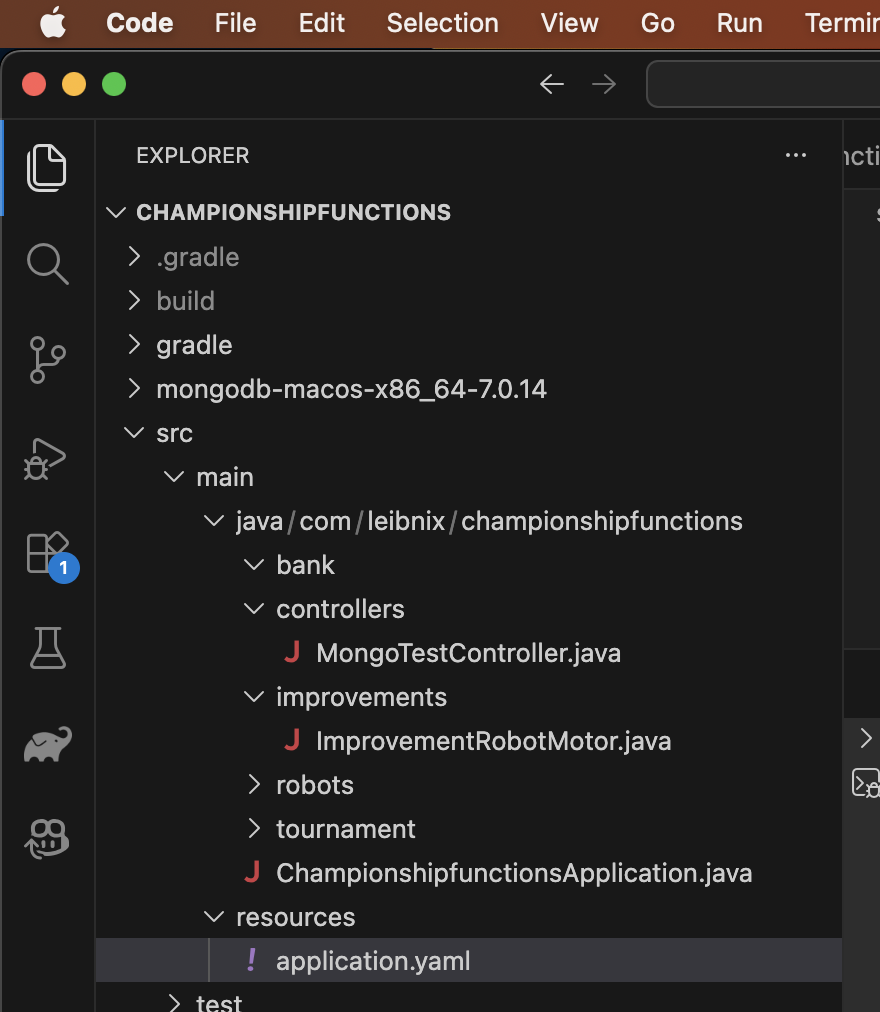
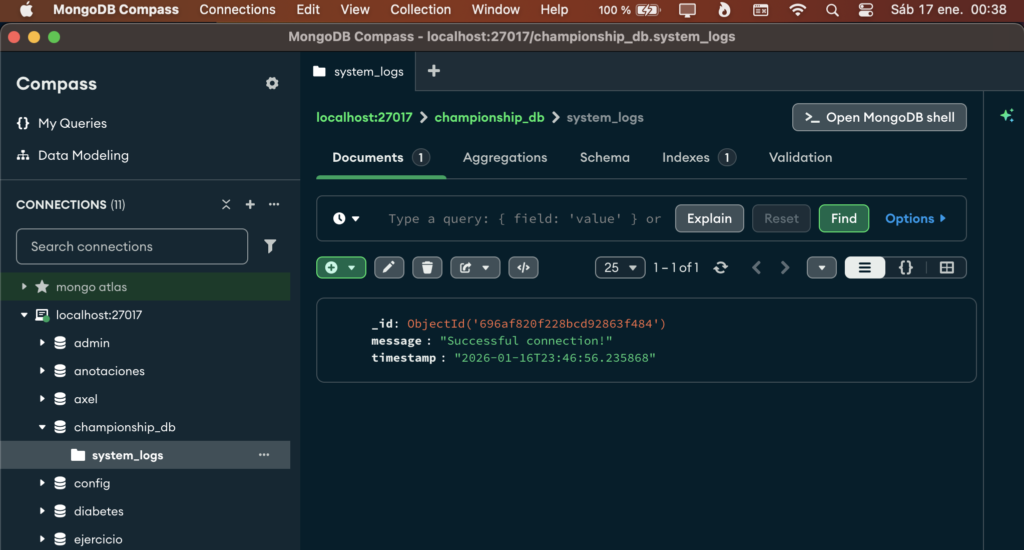
with a visor of documents as MongoDB Compass
There you can see if MongoDB is working, view stored documents, and perform queries.
The database is NoSQL (you store elements as JSON)
Run the Java Spring Boot Gradle application:
JAVA_HOME=$(/usr/libexec/java_home -v 21) ./gradlew bootRunor
./gradlew bootRungradlew comes with gradle, it comes with all the gradle commands, it’s a large script that makes gradle portable