
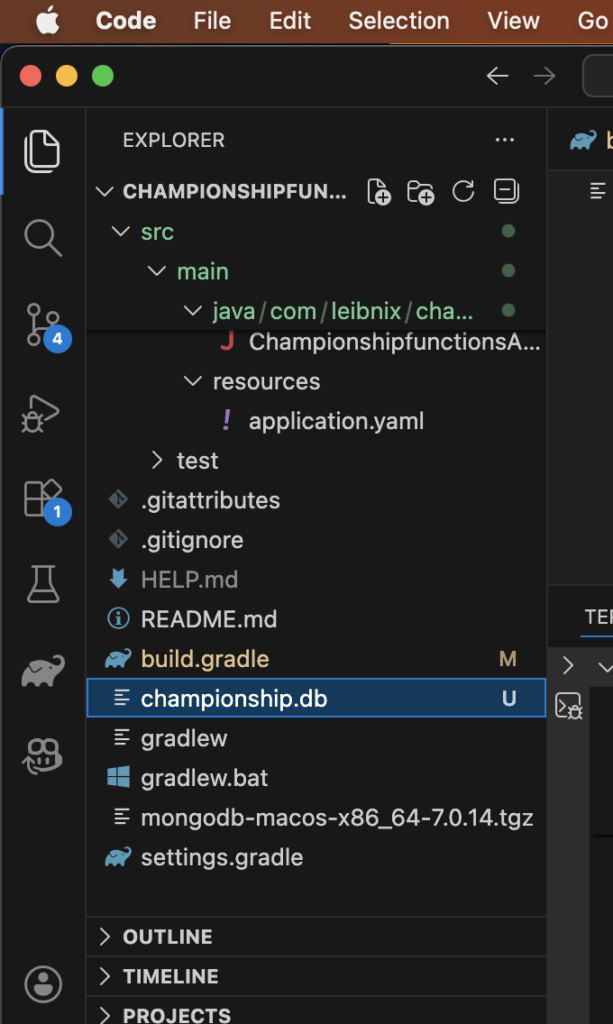
The new binary file will be in the root of your project
That championship.db file you see in the file explorer is the physical database created by the Nitrite engine:
in build.gradle, in the dependencies section:
dependencies {
    // db
    implementation 'org.dizitart:nitrite:3.4.4'
}
You need to refresh/reload the Visual Studio Code IDE
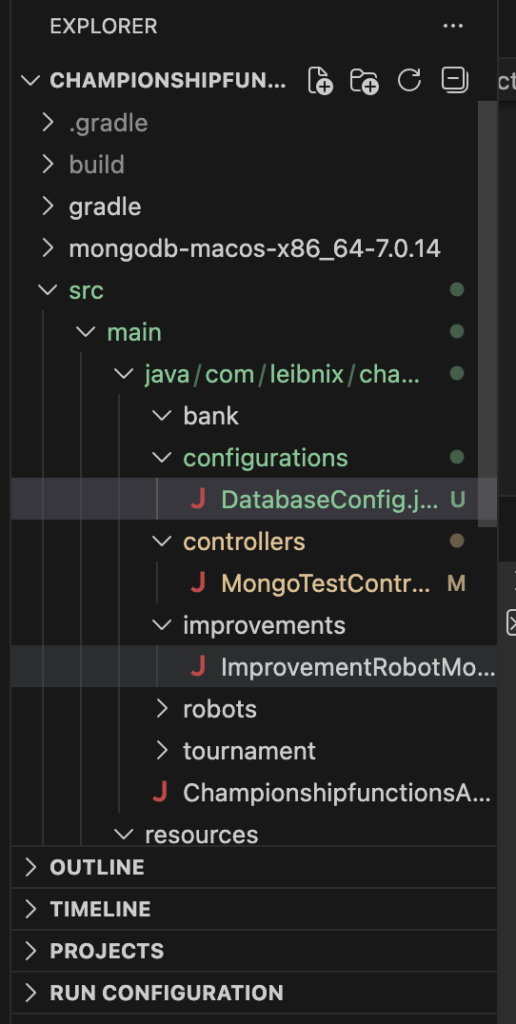
in configurations/DatabaseConfig:
package com.leibnix.championshipfunctions.configurations;

import org.dizitart.no2.Nitrite;
import org.springframework.context.annotation.Bean;
import org.springframework.context.annotation.Configuration;

@Configuration
public class DatabaseConfig {

    @Bean(destroyMethod = "close") // Ensure that the database closes when the app is turned off
    public Nitrite nitriteDb() {
        return Nitrite.builder()
            .compressed()
            .filePath("championship.db") // It will be created in the project's root folder
            .openOrCreate("username", "password");
    }
}
What are “username” and “password”?
These are not users of an external database (such as MySQL or PostgreSQL). These are the local encryption and access credentials for that specific file
When Nitrite opens the .db file, it uses that username and password to validate that it has access permission
If someone takes your championship.db file and tries to open it with a Nitrite viewer or from other code, they won’t be able to see the data unless they know that exact “username” and “password” pair
They are written directly in the code (hardcoded). This is common in early development stages, but it has implications.
In Production: It’s not secure. If you upload that code to a public repository (like GitHub), anyone will know your database password
I suggest not leaving the credentials visible in DatabaseConfig.java:
In your DatabaseConfig.java:
@Value("${db.username}")
private String dbUser;

@Value("${db.password}")
private String dbPassword;
YAML:
db:

username: my_secure_username

password: my_secret_password
Remember to add it to your .gitignore file if you don’t want the database to be uploaded to your Git repository
If you move the password from the .java file to the .yaml file, but continue uploading the .yaml to GitHub, the security problem remains the same
There are two main ways to handle this, depending on how “professional” you want the project to be
The .env file
Create a file called .env in the root directory (where your championship.db is located)
You write there: DB_PASSWORD=my_super_password
IMPORTANT: Add .env to your .gitignore file. This way, the file containing the key lives on your computer but is never uploaded to GitHub
In your application.yaml, you put: password: ${DB_PASSWORD}
You can have two YAML files:
application.yaml: With the general configuration that everyone can see
application-local.yaml: Contains your personal passwords. This file is added to .gitignore to prevent it from being uploaded
The championship.db file should not be uploaded to GitHub (.gitignore)
# Nitrite local database
*.db

# Configuration files with secrets
.env
application-local.yaml

# Database installers (like the mongodb...tgz file you have there)
*.tgz
The .yaml file is usually uploaded to GitHub, but it shouldn’t contain real passwords. It should contain “bookmarks” or references to variables that only exist on your computer or the server where the app is running