
If the Visual Studio Code IDE does not recognize new imports of a new dependency, it is because its dependencies in “build.gradle” have not been refreshed or updated.
Within Visual Studio Code, you must open the command palette (command + shift + p):
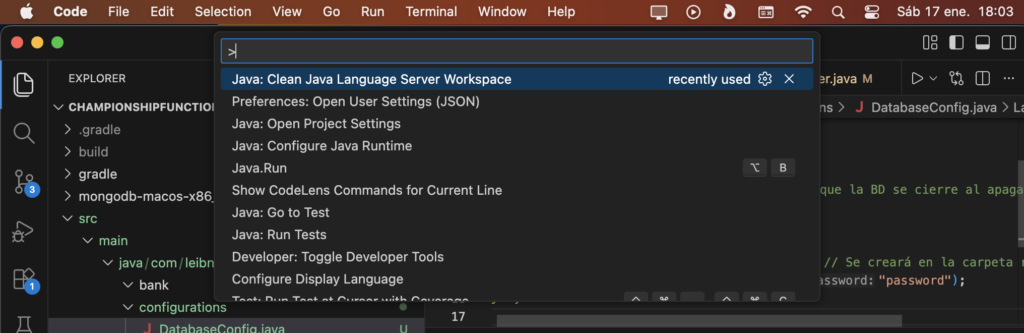
select the option: “Java: Clean Java Languaje Server Workspace”
A pop-up will appear in Visual Studio Code in the bottom right corner
click on “Reload and delete”
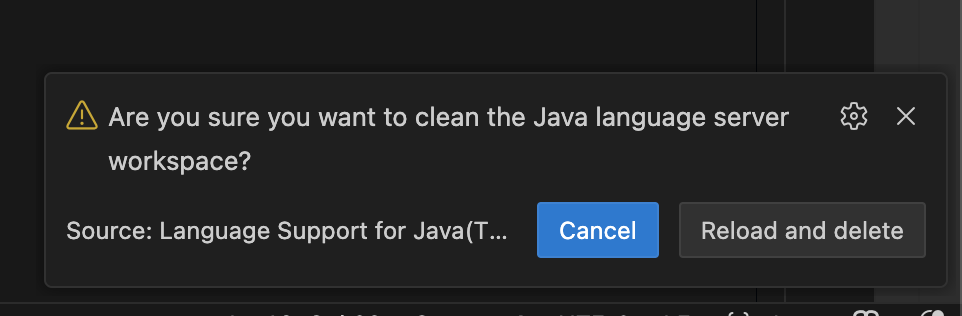
This will close the Visual Studio Code IDE and reopen it, updating the dependencies in “build.gradle” and recognizing the new imports.